
Real Estate Manager v10.7.5 and v10.7.6 include a bunch of new features/enhancements and many other…

Real Estate Manager Version 10.3.4
This Version includes fixes of memory consumption issues and adds a special hook to change/edit icons on listings. You can also display custom data in property listings.
Changing Icons and Data on Property Listings:
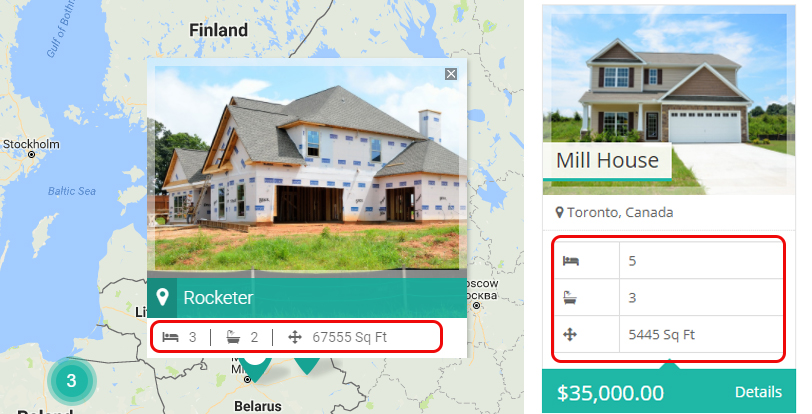
Suppose we want to change this data and want to display our custom data here. Like Property Type, Purpose and City using our custom icons.
We will use a filter for it.
rem_property_icons
Paste following code in functions.php file of your child theme.
add_filter('rem_property_icons', 'custom_i', 30, 2);

function custom_i($icons, $id){
	return array(
        'city' => array(
            'label' => __( 'City', 'real-estate-manager' ),
            'class' => 'fa fa-location-arrow',
            'value' => get_post_meta( $id, 'rem_property_city', true ),
        ),
        'purpose' => array(
            'label' => __( 'Purpose', 'real-estate-manager' ),
            'class' => 'fa fa-window-restore',
            'value' => get_post_meta( $id, 'rem_property_purpose', true ),
        ),
        'status' => array(
            'label' => __( 'Status', 'real-estate-manager' ),
            'class' => 'fa fa-calendar',
            'value' => get_post_meta( $id, 'rem_property_status', true ),
        ),
	);
}
After doing it, you can see on your listings the new icons with custom data will appear.
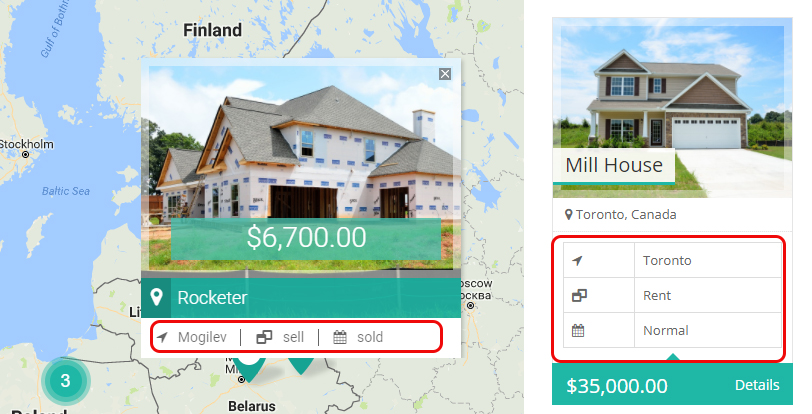
Icons array contains 3 keys,
- label: It will be used to display a title.
- class: It will be a font awesome icon class, see a full list of icons here
- value: The value to show next to icon.

Related Posts

This Post Has 0 Comments